
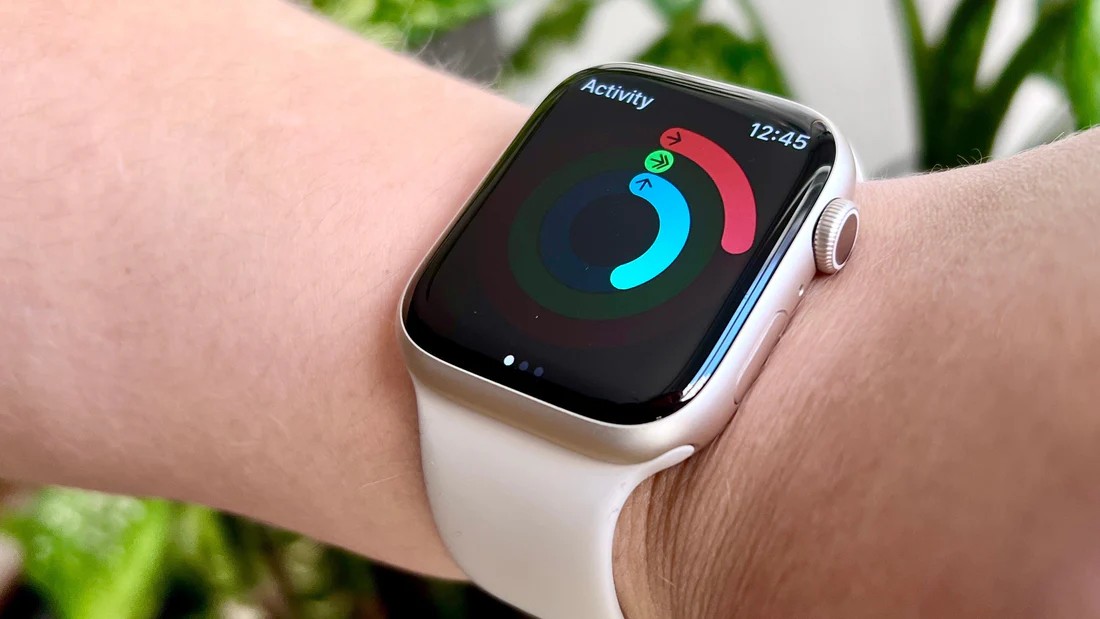
Congratulations on joining the Apple Watch community! You’ve taken a significant step towards better health tracking, but are you maximizing its potential?
Here’s how to turn your Apple Watch data into actionable wellness results, especially when paired with Alively.
Optimize Your Activity Rings
Your Apple Watch’s Activity rings serve as a powerful motivator, but customization enhances their effectiveness. Here’s how to make them work harder for you:
Tailor Your Goals to Your Schedule
With watchOS 11, you can now adjust your Activity ring goals by the day of the week. This game-changing feature allows you to:
- Set more challenging targets on workout days when you’re feeling energized
- Create more relaxed goals on rest days to support recovery
- Account for your weekly schedule (busy workdays vs. active weekends)
- Avoid the frustration of one-size-fits-all goals
This customization means you’re more likely to stay consistent without burning out.
Use the Pause Feature Strategically
Life happens—injuries, illness, or simply needing a mental break are all valid reasons to step back. The good news? You can now pause your rings without losing your hard-earned award streaks.
This feature removes the pressure that often leads to overtraining or guilt when you need rest. Your recovery days are just as important as your active days.
Sync with Alively for Personalized Support
Connect your Apple Watch to Alively to receive personalized product recommendations that help you close your rings consistently.
Rather than generic advice, you’ll get specific solutions based on your actual activity patterns and goals.
Enhance Your Workouts
The Apple Watch functions as an excellent workout companion, but when paired with Alively, you can elevate your entire training approach.
Track Diverse Workouts
Your Apple Watch can monitor a wide variety of activities:
- Outdoor and indoor running
- Cycling (road and indoor)
- Swimming (pool and open water)
- Strength training
- Yoga and mindfulness
- HIIT and functional fitness
- And dozens more
The more consistently you track, the better your watch understands your fitness patterns.
Analyze Your Data in the Redesigned Fitness App
Review your workout stats in the redesigned Fitness app on your iPhone. The app now provides:
- Detailed workout summaries with heart rate zones
- Trends over weeks and months
- Comparisons to previous performances
- Route maps for outdoor activities
- Workout intensity analysis
This data helps you understand what’s actually working in your fitness routine.
Optimize Recovery with Smart Recommendations
Here’s where Alively makes a real difference: the platform can suggest recovery tools based on your workout intensity, ensuring you’re always ready for your next session.
Whether you need compression gear, foam rollers, or specific supplements, recommendations are tailored to your training load.
Improve Your Sleep
While your Apple Watch monitors sleep patterns automatically, Alively helps translate that data into actionable steps for better rest.
Monitor Sleep Trends Over Time
Use the Sleep app on your watch to track your sleep patterns over time. Your Apple Watch tracks:
- Total sleep duration: How many hours you actually slept
- Sleep stages: Time spent in REM, Core, and Deep sleep
- Sleep consistency: How regular your sleep schedule is
- Respiratory rate: Breaths per minute while sleeping
- Wrist temperature: Deviations from your baseline
Understanding these patterns is the first step to improving your sleep quality.
Get Personalized Sleep Recommendations
This is where the magic happens: Alively analyzes your sleep data to suggest products that can enhance your rest quality.
Recommendations might include:
- Sleep aids tailored to your specific sleep challenges
- Blackout curtains if light is affecting your sleep
- White noise machines for better sleep environment
- Sleep supplements based on your sleep stage deficiencies
- Temperature-regulating bedding if you’re running hot or cold
These aren’t random suggestions—they’re based on your actual sleep data patterns.
Maximize Health Insights
Your Apple Watch accumulates extensive health information throughout the day and night. Here’s how to make the most of this data:
Explore the New Vitals App
watchOS 11 introduces the Vitals app, which provides powerful health and fitness insights all in one place.
The app aggregates key metrics like:
- Heart rate (resting, walking, workout)
- Heart rate variability (HRV)
- Respiratory rate
- Wrist temperature
- Sleep duration
- Blood oxygen levels (on compatible models)
When multiple metrics fall outside your typical range, Vitals alerts you that something might be off—whether it’s oncoming illness, overtraining, or stress.
Sync with Apple Health for Complete Integration
Many Apple Watch apps, including Alively, can sync with Apple Health to provide a comprehensive view of your wellness.
This integration means:
- All your health data lives in one secure place
- Third-party apps can access the data you choose to share
- You can spot correlations between different health metrics
- Your complete health picture informs better recommendations
Get Tailored Solutions Based on Your Data
This is where Alively truly shines: the platform translates your Apple Watch data into clear, actionable steps and product recommendations.
Instead of overwhelming you with numbers and charts, Alively identifies:
- Your most impactful area for improvement
- Specific products that address your health gaps
- Concrete actions you can take this week
- Progress tracking to show real improvements over time
Your Next Step: Sync!
Ready to unlock the full potential of your Apple Watch?
Sign up for Alively today and gain access to personalized wellness insights tailored specifically for you.
Don’t just track your health—transform it.
With your Apple Watch and Alively working together, you’re not just collecting data; you’re crafting your optimal health journey, one meaningful improvement at a time.